
Game Management
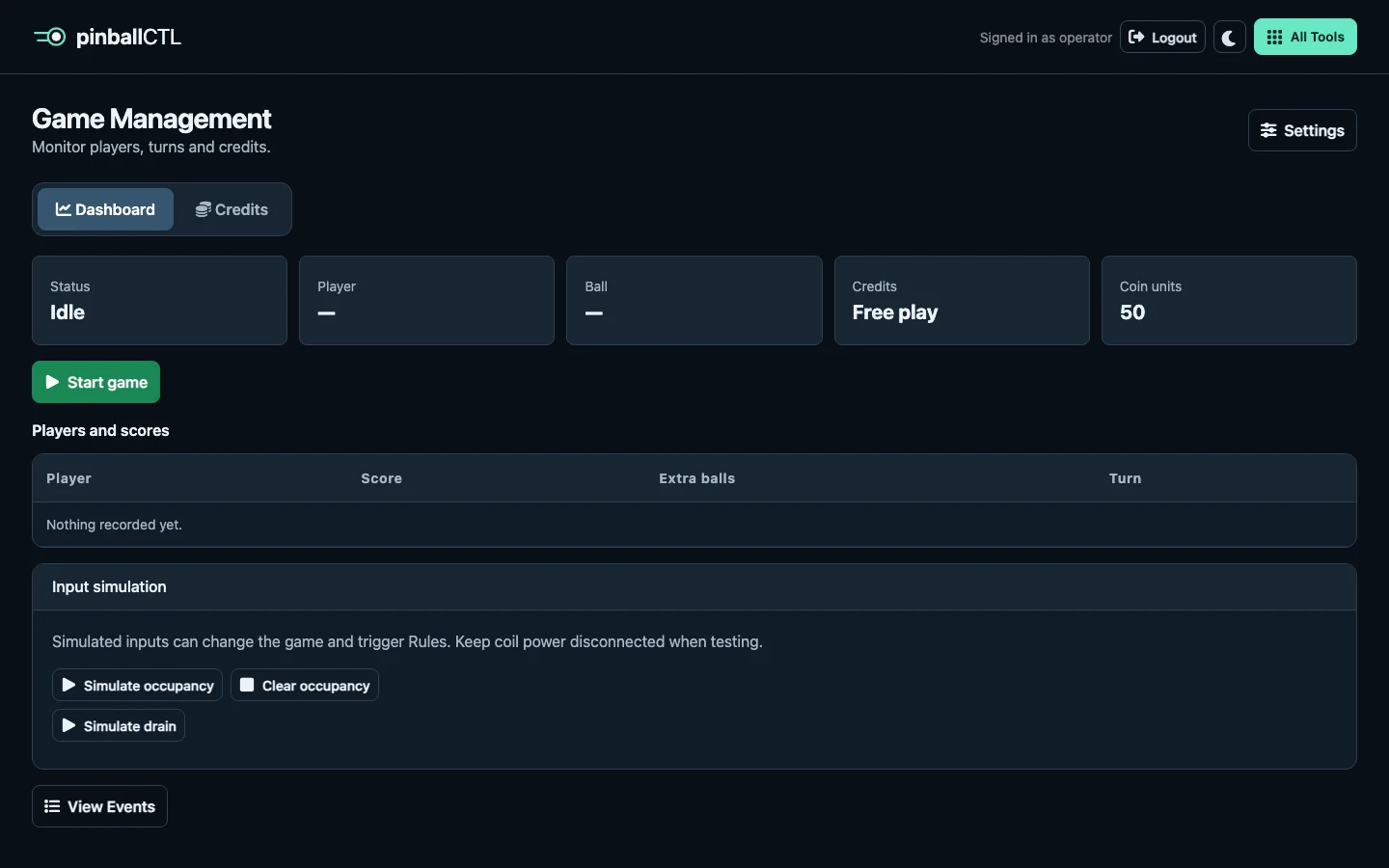
Game Management shows the live game, players, credits, and current turn. Scoring tracks player points, and Ball Management reports launch and drain observations.
Set up a game
Open Game Management → Settings while no game is running. Choose maximum players and balls per player. Changes are rejected during an active, paused or recovering game.
Use Input simulation on either the Game Management or Ball Management dashboard to simulate a configured sensor. Launch and drain send a press and release with one click. Occupancy stays at the simulated level until you choose Clear. For Simulate launch, map a button or switch in Hardware and assign it the Launch role in Ball Management. Simulation uses that mapping without needing the ESP online. Simulated launches and drains can advance the current game. The resulting manager events use the central event system, carry simulated: true, and can trigger Rules that listen for manager events. Hardware switch triggers still require their own input events. Keep coil power disconnected when testing.
Optionally select a mapped start input. Its active edge requests a new game, or adds a player when Start button during a game allows joining. Joining can be limited to the first logical ball, before first launch, or disabled. A rejected request does not spend credits. A successful player entry spends the configured credit cost atomically with the transition.
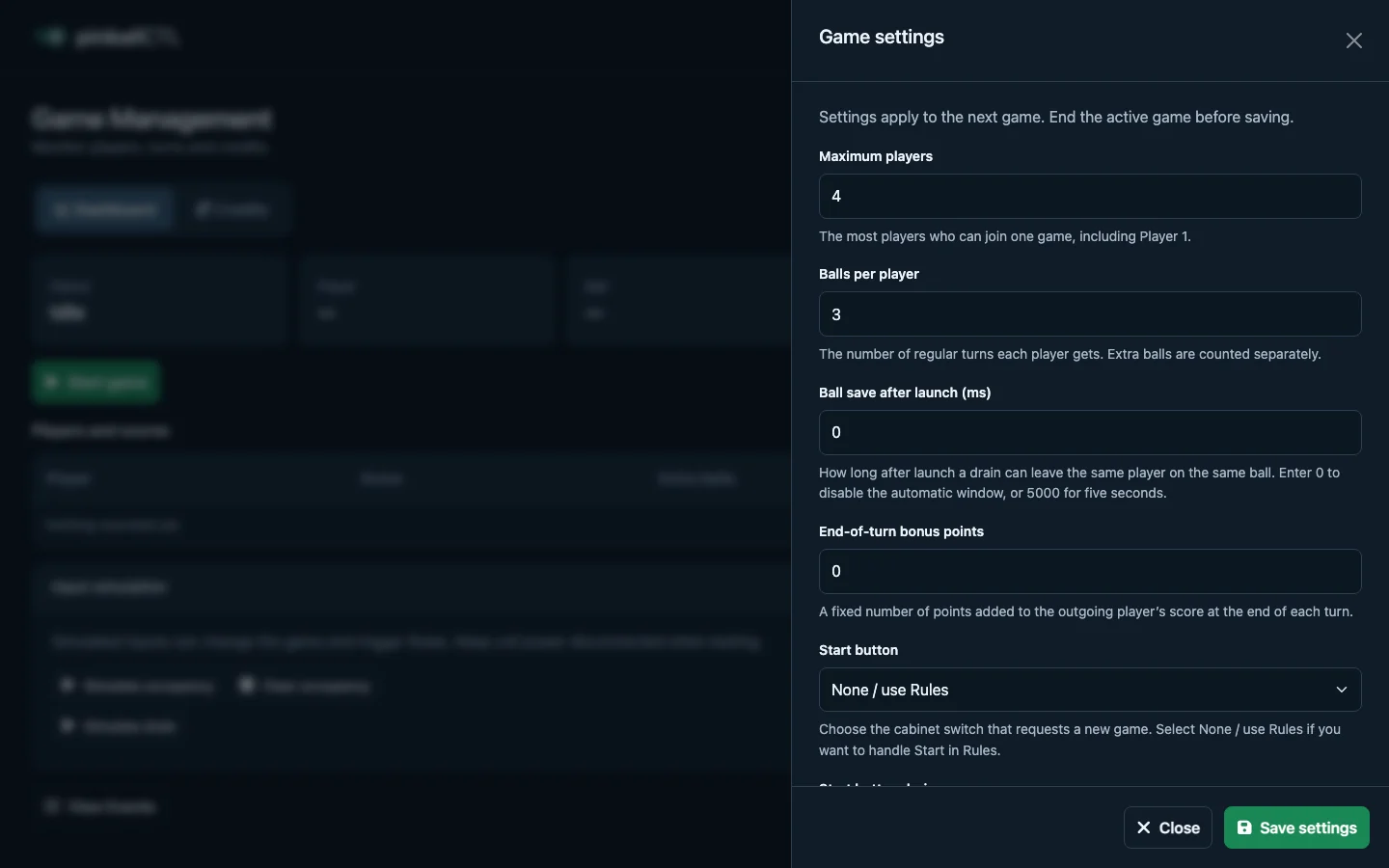
Save settings, then Sync Rules to deploy the manager's input watches. These watches contain no output actions and are not editable gameplay rules. Configuration saves compile them into the existing framed Rules bundle; there is no automatic sync or arming. Update Pi and ESP firmware together: physical observations carry an explicit provenance marker, and controlled movement uses the firmware runtime-clock query.
Set up credits
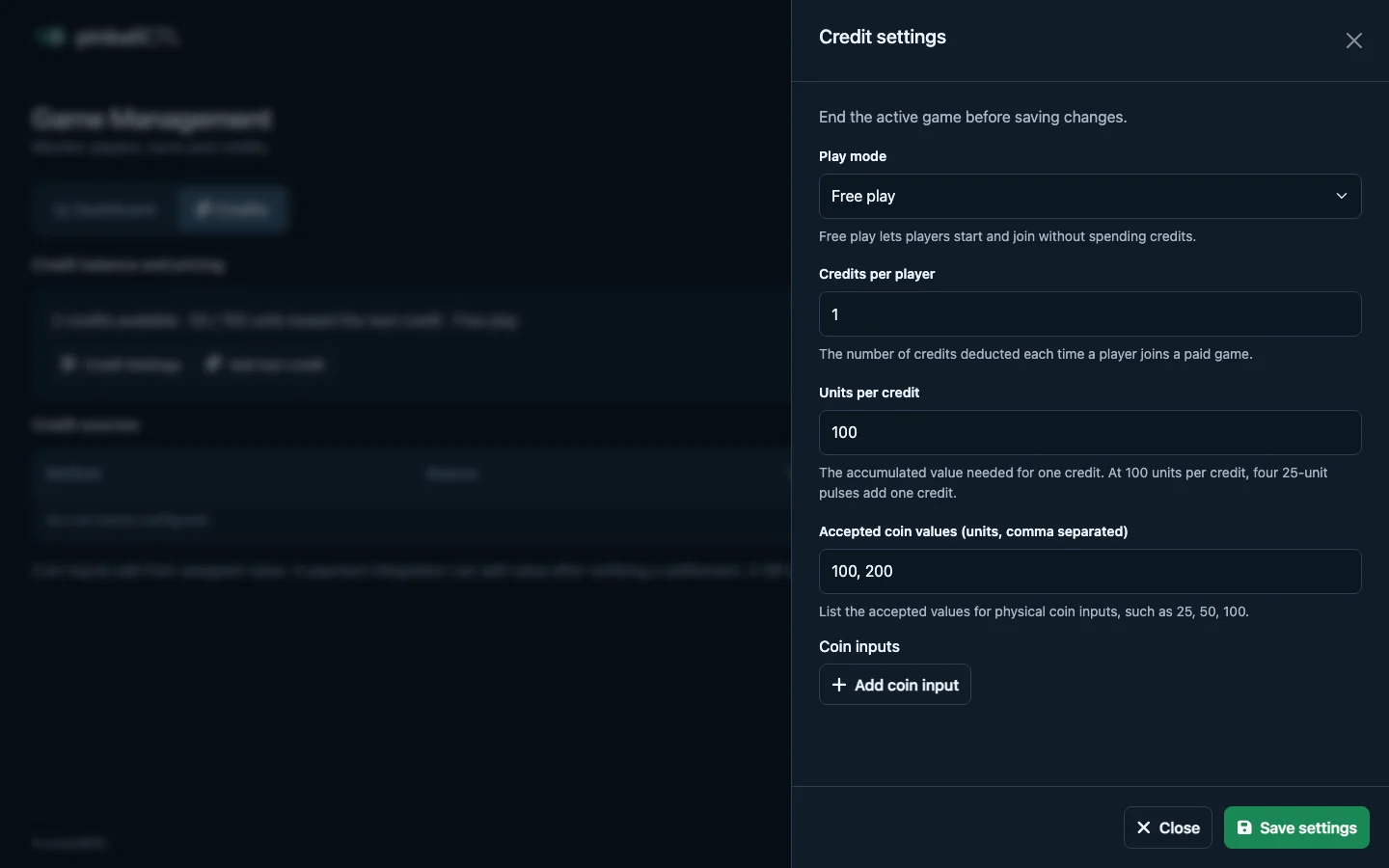
Open Credits → Credit settings. Choose Free play to let players start without spending credits, or choose Credit-based play and set Credits per player.
Set Units per credit and enter the coin values you accept. Add a row for each mapped coin switch and assign its value. For example, at 100 units per credit, a 25-unit coin adds a quarter credit. The balance retains partial units until they add up to a full credit. Save while idle, then Sync Rules to deploy changed coin input watches.
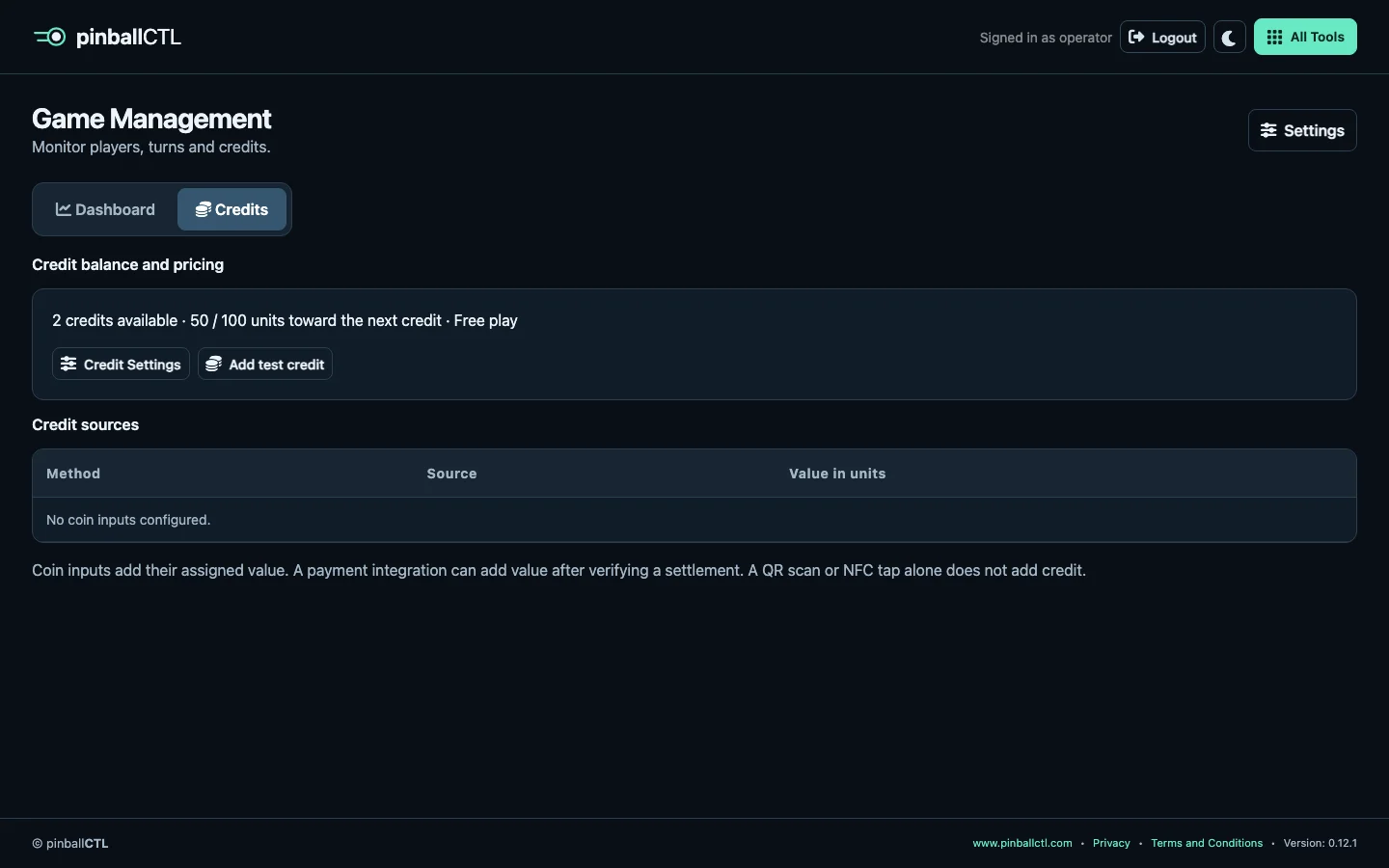
Use Add test credit on the Credits tab to add one credit to the machine’s balance for testing paid play.
Coin switches and verified payment integrations add value to the same balance. A QR code or NFC tap can identify a payment or account. The integration must verify the transaction before awarding units, using a stable settlement ID so retries cannot award the same payment twice. The built-in setup screen configures coin inputs. Online, QR and NFC payment providers require a separate integration.
Play and monitor
The overview shows game status, current player, logical ball, credits and partial coin units. Players have independent scores, combo progress, multipliers and extra-ball counts. Waiting for launch means the turn is ready and Ball Management has yet to report shooter departure. After departure, the dashboard shows Ball active. Start game opens a session. Add player appears only while the joining policy, player limit and available credits allow it.
Use the ball icon in a player’s Actions cell to award that player an extra ball. Before the first launch, use the trash icon to remove Player 2 or later. Confirming returns their entry credits and closes the gap in the lineup.
With only shooter-departure and drain inputs, in-play count is an estimate. Drain confirms passage, not trough occupancy. A drain with no corresponding launch estimate requires reconciliation. Multiple observed departures increase the estimate; one drain does not end multiball while another ball remains or a movement is unresolved.
When play finishes, Scoring finalises the outgoing player's configured fixed end-of-turn bonus inside the same transaction as turn advancement. Extra balls take precedence over changing player. After all players finish, the next logical ball begins; after the last ball, the game ends and each player’s final score is recorded once. Open High Scores to see the leaderboard or configure backglass initials entry. A delayed score explicitly associated with an earlier turn is rejected.
The ball-save window starts on the first launch of the turn. A saved drain keeps the same player and logical turn and waits for another physical launch. Relaunching does not extend the original window. An explicit Activate ball save request can start a new bounded window. No automatic launch is performed.
Pause and Resume control logical progression. Observations continue while paused; if a drain completes play, bonus finalisation and the next turn wait for explicit Resume. End game is an operator command, with confirmation. After ending a game, inspect any balls that remain outside the trough before starting again. None of these controls arms hardware.
Choose View Events to review game, player, turn and credit events in Logs → Events.
Rules boundaries
Use Game Management triggers for committed result events, Game Management conditions for read-only state, and manager actions for supported requests such as start, add player, extra ball and ball save. The manager may reject a request. Privileged credit/end/pause/resume controls are operator/adapter operations, not generic Rules actions.
Use custom counters such as BUMPER_HITS for your own rules. Generic Emit Event cannot forge manager result events; generic state actions cannot modify manager-owned state. The authoritative registry drives editor options and execution validation.
Recovery and payment boundary
A full Pi boot interrupts any unfinished game and returns Game Management to idle. Credits and completed game history carry over. The interrupted game does not enter the high-score table. Game start is blocked for six seconds while balls settle, then Ball Management reads the configured occupancy switches.
A bridge restart, coordinator takeover, event overload or restored state on the same Pi boot can still put a running game into Recovery Required. Inspect the machine and use End game if the interrupted turn cannot safely continue. Recovery does not automatically energise coils.
NFC can identify an input through existing Rules; identity alone is not payment. A verified payment adapter can submit a settlement through the trusted Python adapter interface with a stable settlement ID. Duplicate IDs cannot award credit again. No live payment-provider integration is included; generic event names or caller-supplied source strings cannot authorise credits.
Physical Pi/ESP timing, real coin inputs, actuators, service failover under load and screen-reader use still require target-machine validation. Desktop tests verify the software state transitions, transaction ownership and simulated workflows.