
High Scores
High Scores gives players a record to beat. Compare the best scores of all time, this year or this month, or look back at the latest results. On a compatible backglass, players can browse the boards and enter their initials when they qualify.
Use the separate Competition board to track standings for a league night or tournament while keeping the machine’s regular leaderboards.
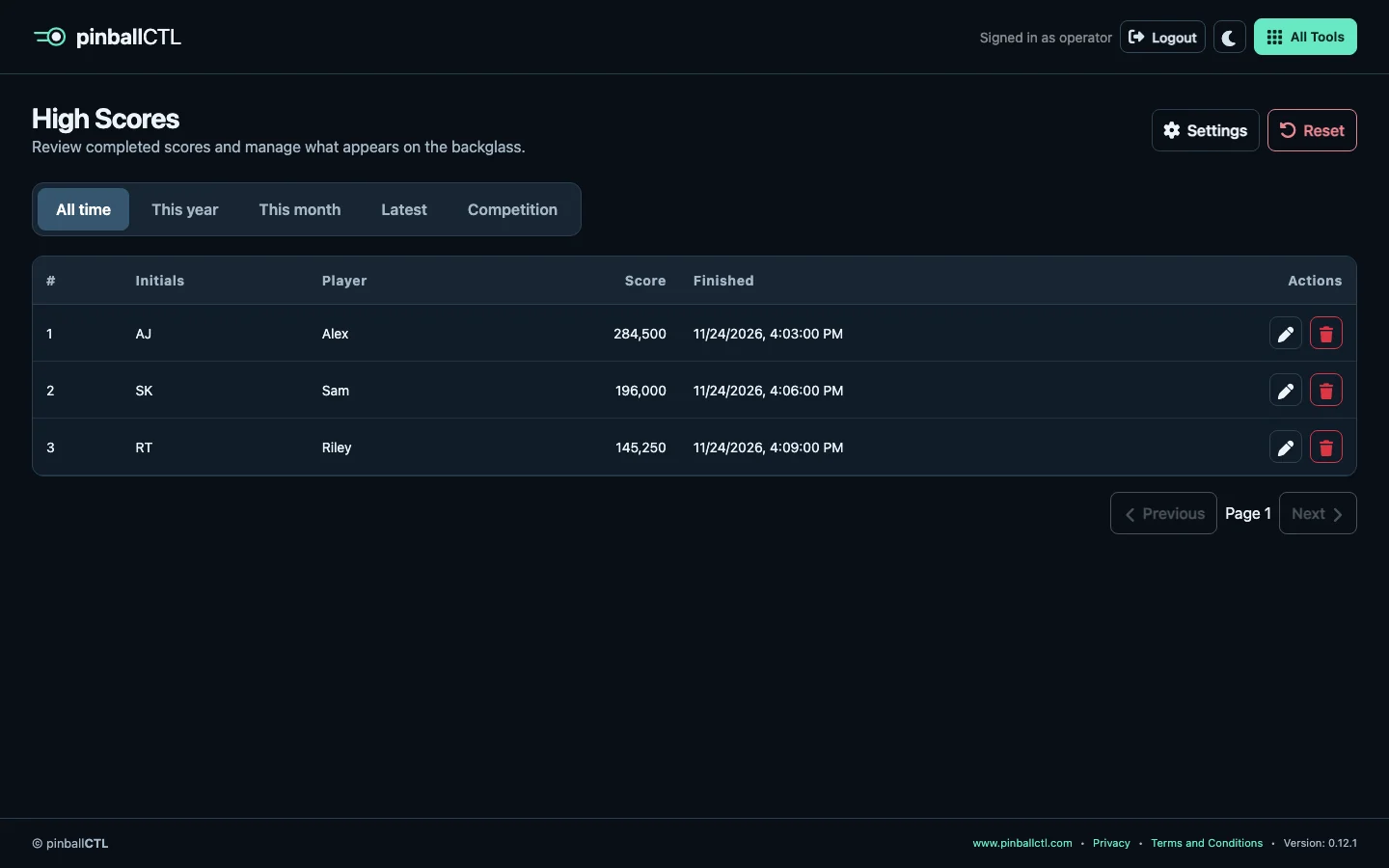
Choose a board
| Tab | Order |
|---|---|
| All time | Highest score first, across all retained entries |
| This year | Highest score first, for games finished in the current calendar year |
| This month | Highest score first, for games finished in the current calendar month |
| Latest | Most recently finished games first |
Month and year boundaries use the controller’s local time zone. Earlier results rank first when scores tie. The browser shows 25 entries per page. Use Previous and Next to move through the board. On an existing installation, PinballCTL imports available results from its saved game history and former high score list.
Edit, remove or reset scores
Select the pencil beside a result to edit its initials, player name or score. Leave the initials blank to display ---. Select the trash beside a result and confirm to remove it from all four boards.
To clear the four regular boards, select Reset from one of them and confirm. Completed games populate the boards again.
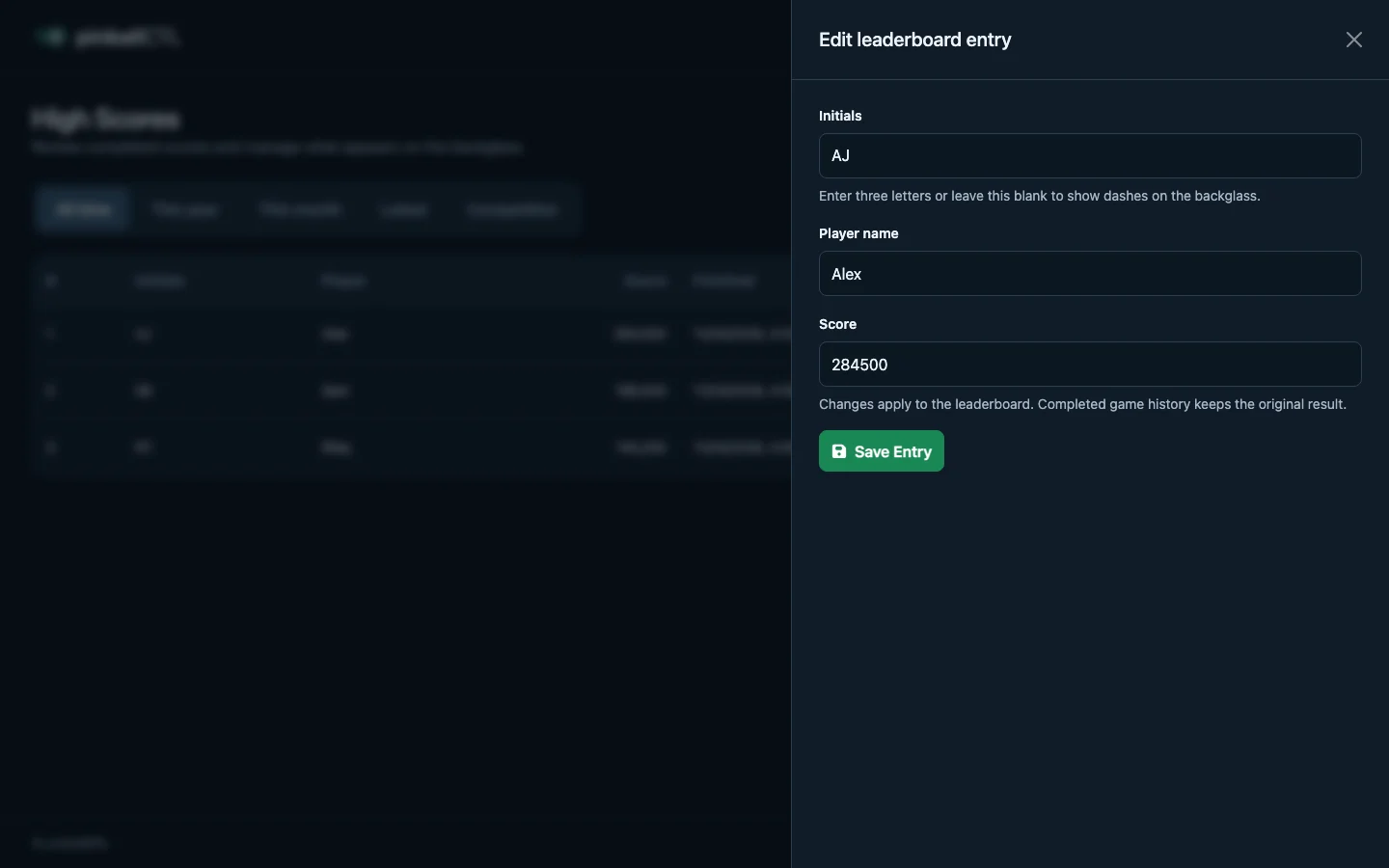
These controls change leaderboard entries. Original results remain in completed game history. Choose Scoring in Backup / Restore to include leaderboard entries and display settings.
Collect initials on the backglass
- In High Scores → Settings, choose how many rows to show per board, from 1 to 10. The default is five. That setting also determines how many places on the ranked boards qualify for initials.
- In Media, run a Godot scene that supports initials entry. Map the left and right flippers to
ui_leftandui_right, Select toui_accept, and an optional Back button toui_cancel. - Play through the last ball. Each player with a positive score in a qualifying position on All time, This year or This month gets a prompt in player order. Latest shows recent results regardless of rank.
- Use the flippers to change the highlighted letter and Select to confirm it. The third confirmation saves the initials. Use Back to skip a player. The prompts expire one minute after the game ends or when another game starts. Skipped and expired entries remain on the boards with dashes.
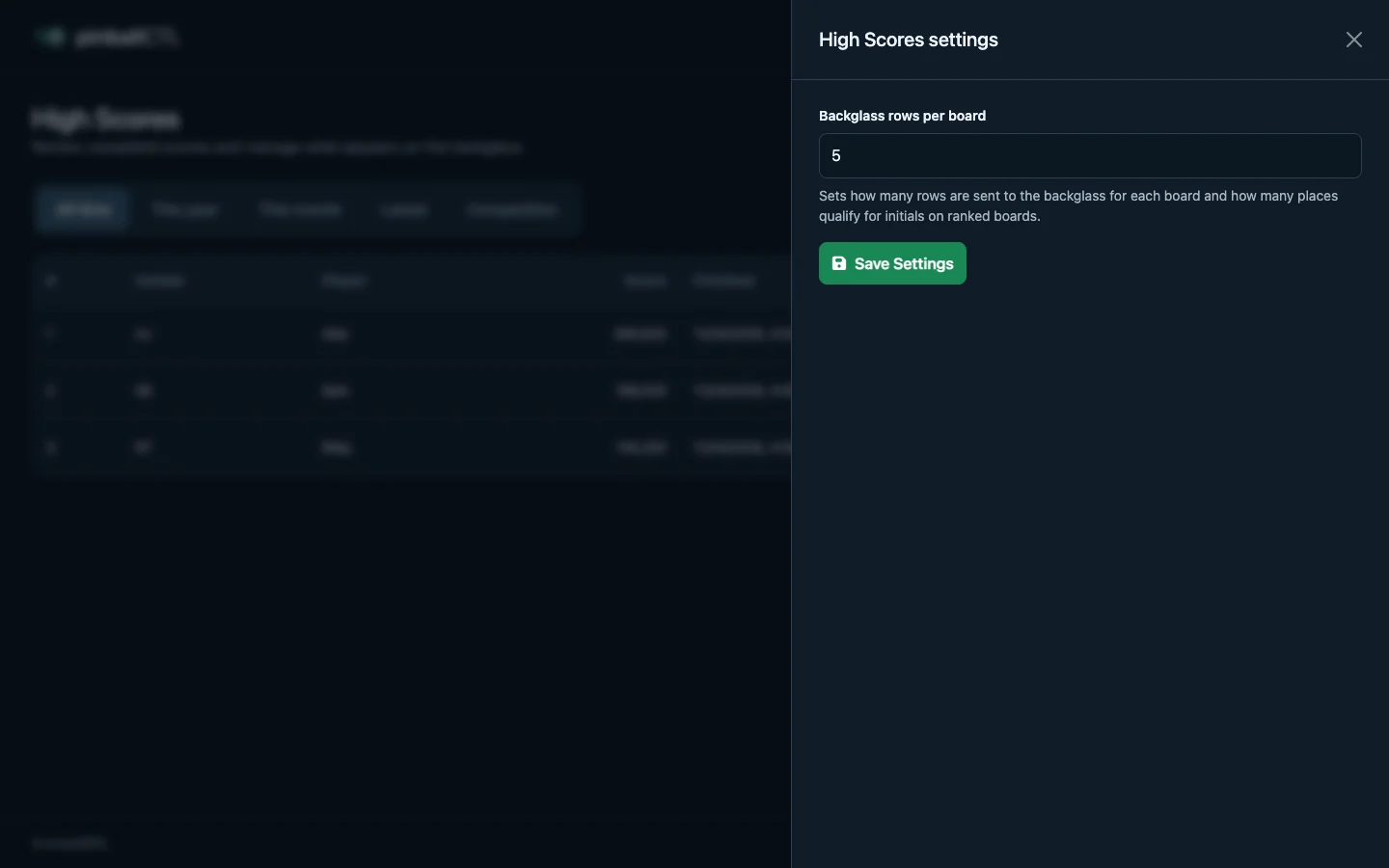
In the Pinball CTL vector sample, choose High scores from the menu and use the flippers to switch boards.
Run a competition night
- Between games, open Competition → Manage competition. Enter a title, choose Start new, and confirm. This clears the previous competition’s scores.
- Play as normal. Completed results go to the competition board as well as the regular leaderboards. A score that qualifies on either set of boards can prompt for initials once.
- Open High Scores on the vector backglass to see the competition title and leaderboard. Use the flippers to browse the regular boards.
- Choose End competition when play is finished. The browser keeps the final results and the backglass returns to the regular boards. Use Reset competition scores to clear just the competition board, or Save title to rename it and keep the scores.
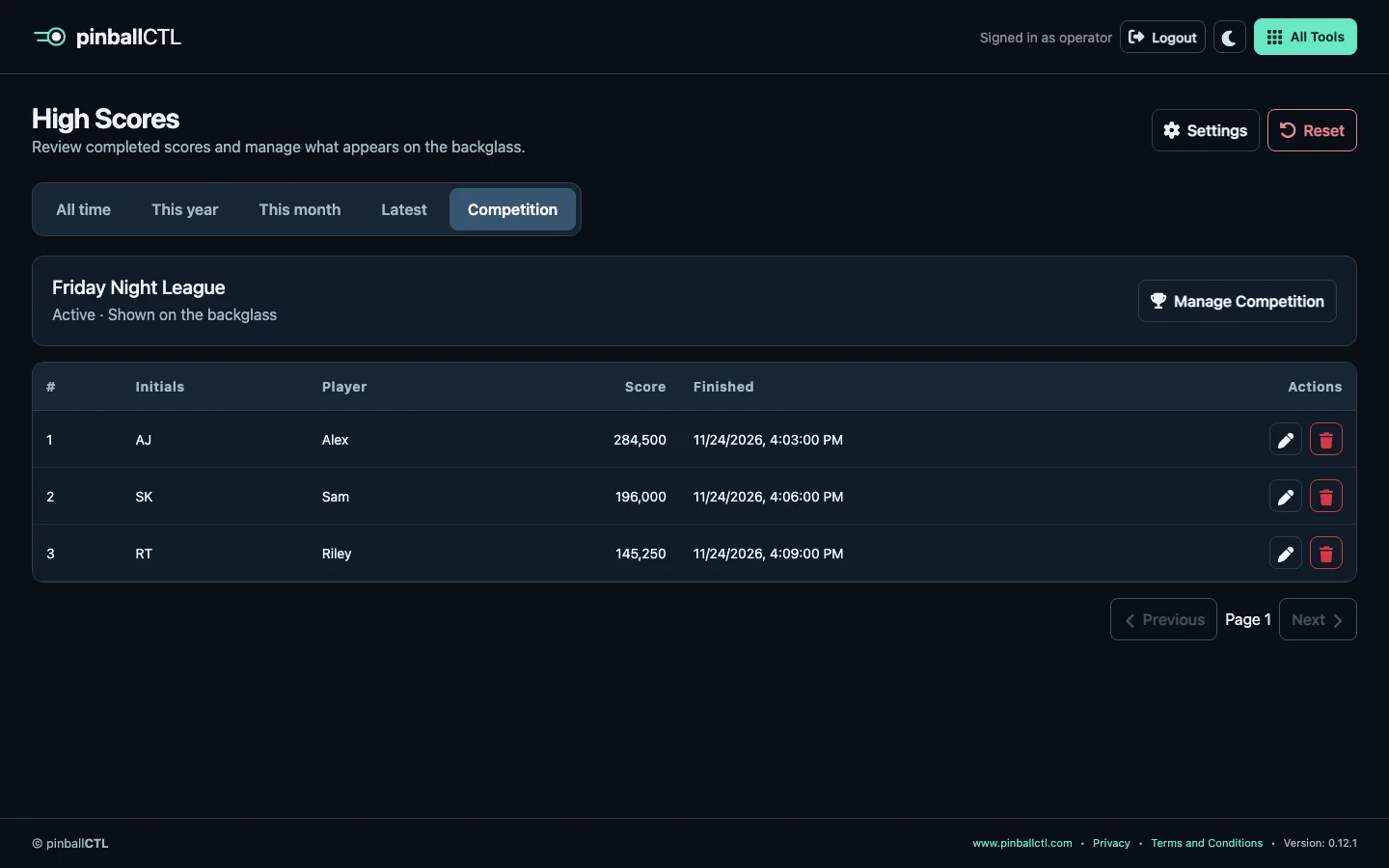
Editing or removing a competition result affects that board only. Starting or resetting a competition preserves the regular leaderboards and completed game history.